
Occasionally when trying to generate a pairing code from a student account, the Pair with Observer button does not appear. If you are trying to create your account but do not see the button, don't worry!
If you need instructions on how to generate an Observer Pairing Code, check out the article below:
How do I generate an Observer Pairing Code as a student?
The observer button is normally located on the far right side of the Settings page within your student's Canvas account, under the Download Submissions button. When the Pair with Observer button is not visible, that's generally an indication that a student does not have an active class enrollment. If a student was recently imported into ORCA's system, the enrollment information may not have synced yet. The sync will typically be complete within 24 hours of account creation. 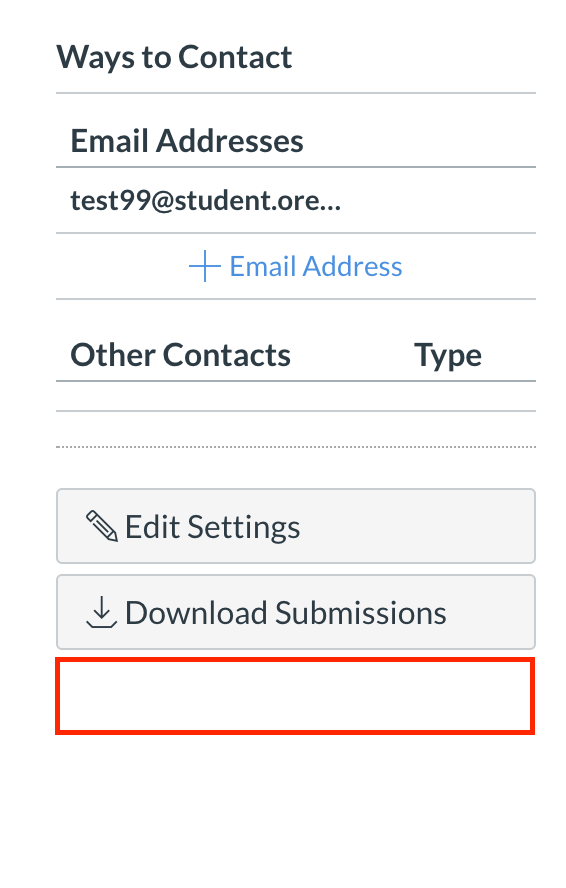
If it has been more than 24 hours since your student was imported and the Pair with Observer button still has not appeared, please get in contact with our Support Team through one of the following methods in this guide article:
How do I get technical support?
You can also check out our Observer Day in the Life course for a more in depth look into Observer Accounts.
Comments
0 comments
Article is closed for comments.