
Sora is the application through which e-books in ORCA’s digital library are delivered to students. You will use it frequently to read books for your class. Use the following steps to get set up with Sora:
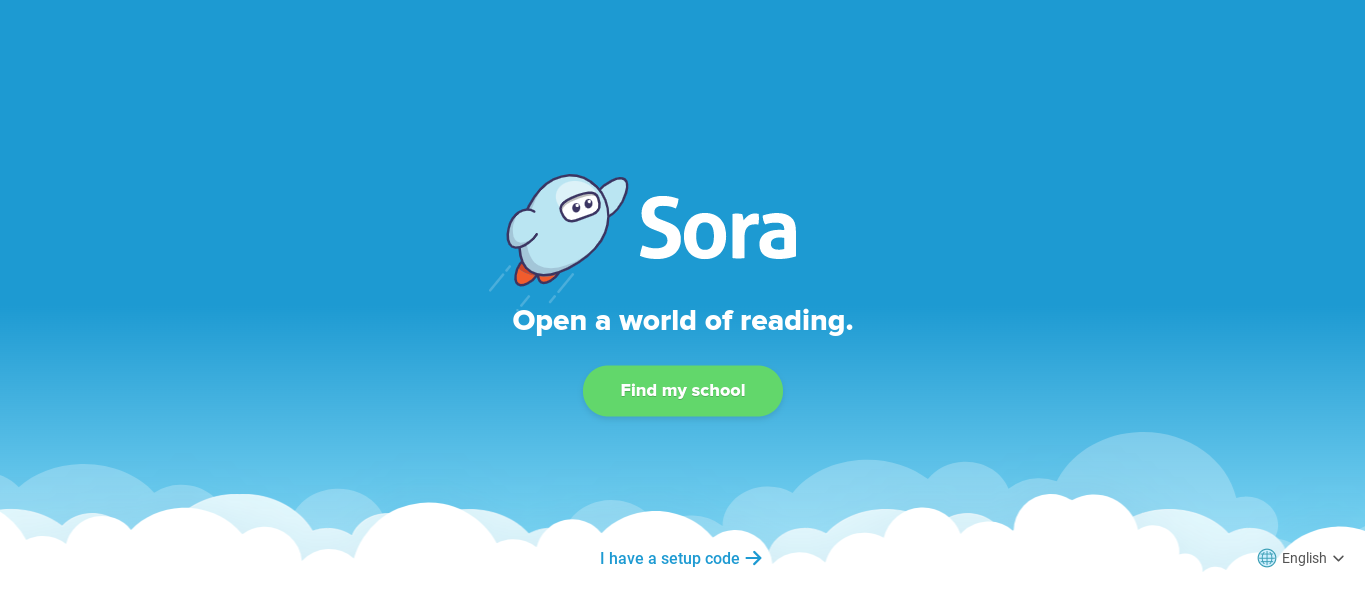
- First, go to: soraapp.com
- Click "Find my school"
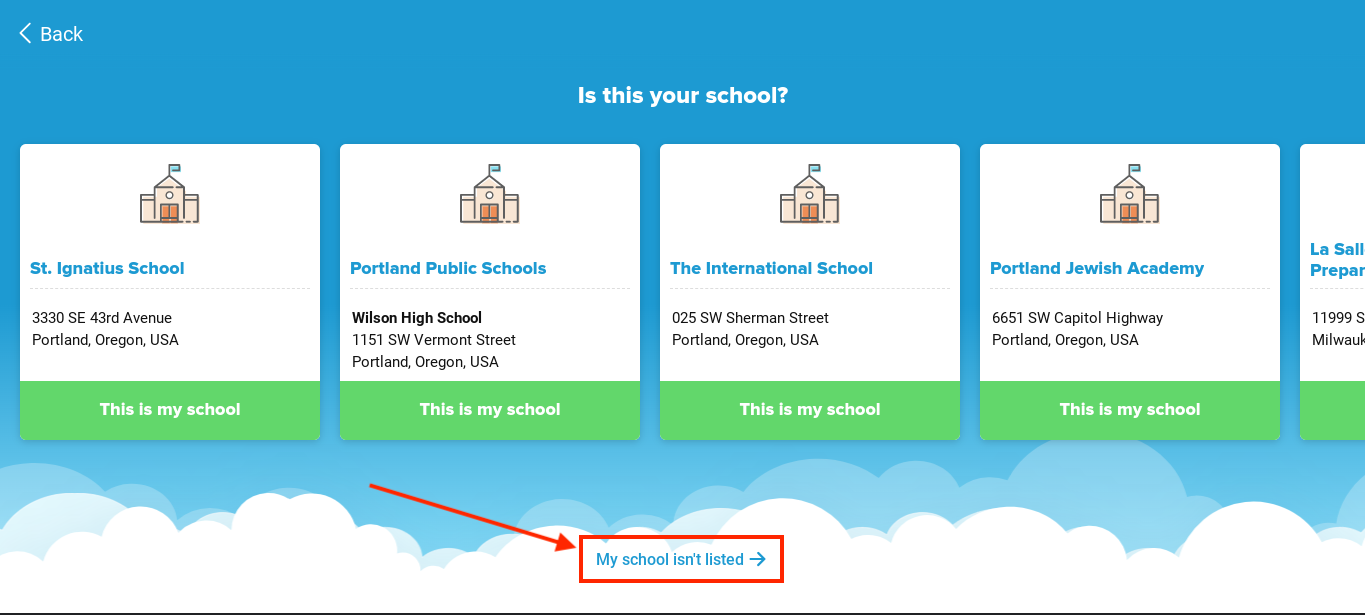
- Next, click "My school isn't listed"
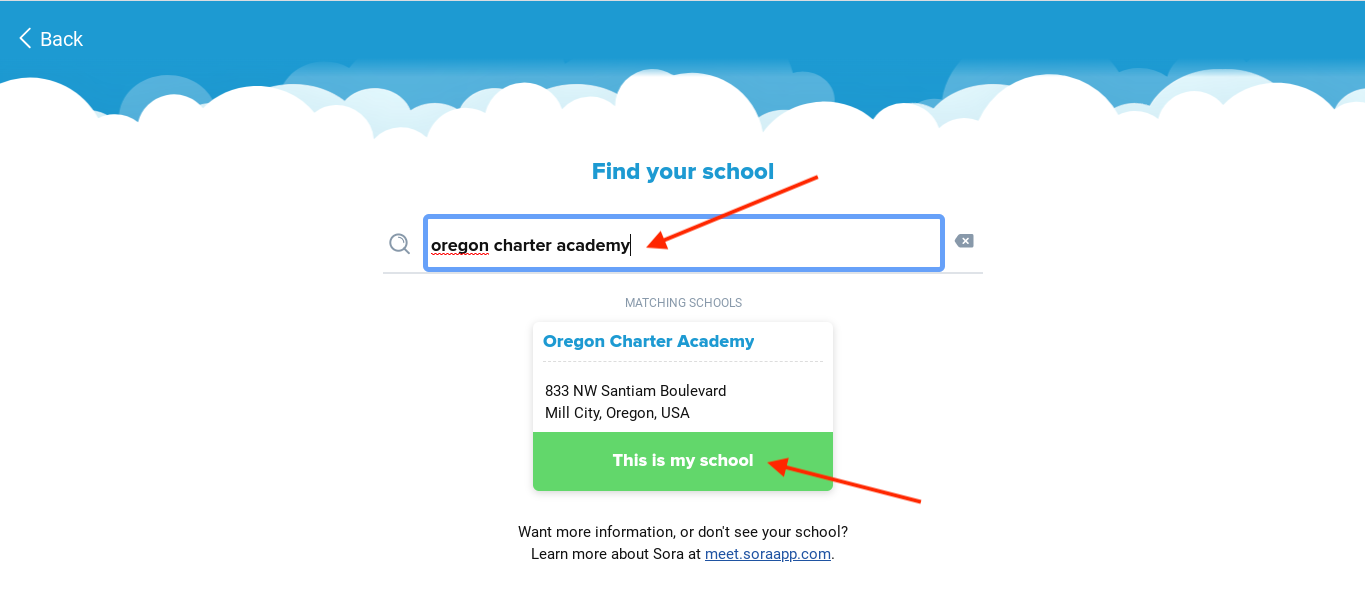
- In the search box, type "Oregon Charter Academy"
- Select "This is my school"
- Click "Sign into Oregon Charter Academy"
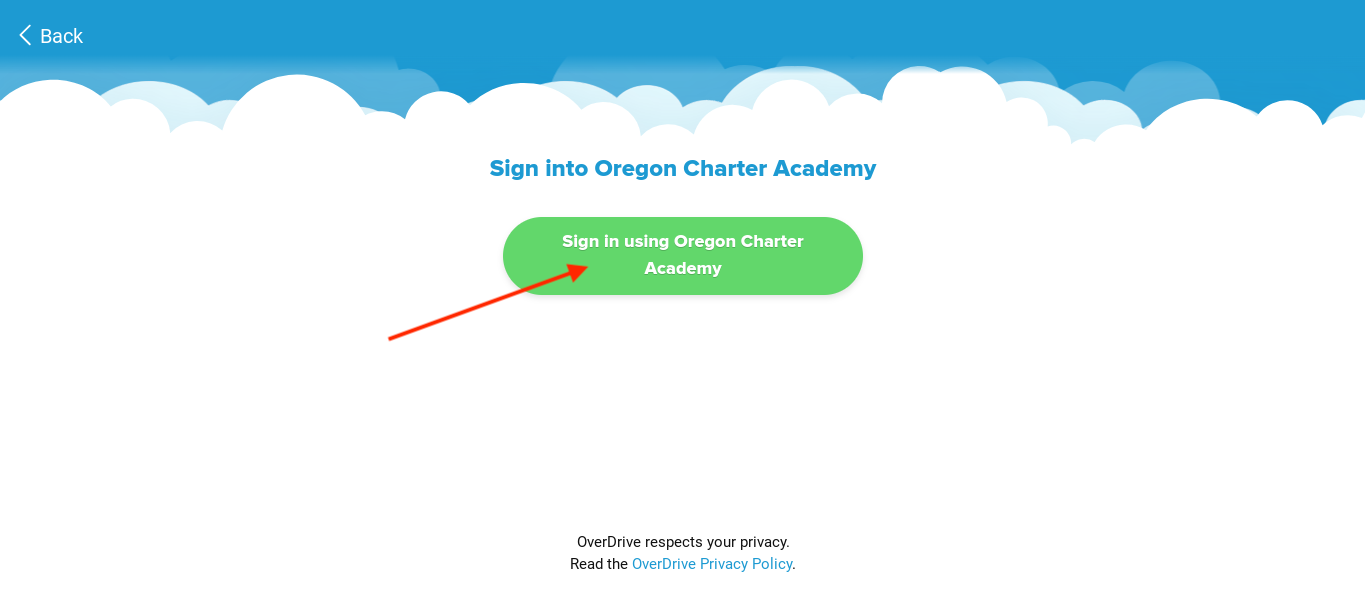
- You will be taken to a Google sign in page. Click your ORCA google account to log in.
- You now have access to Sora! Within the SORA app you can search for, check out, and read books!
If you would like to access your Sora book on a Kindle, please follow the instructions listed below:
If you have any questions about accessing or using SORA, please ask the Tech Team. Take a look at the article below to see how you can reach us:
Comments
0 comments
Article is closed for comments.